


You are subscribed to one of our apps for your Weebly website.
Step 1: Navigate to Weebly, and edit any site where you're using one of our apps. Alternatively, if you're not sure on which site/page you're using Widgetic, drag one of our apps temporarily on any web page, update the card there, and then you can remove it from the page.
Step 2: Select any Widgetic embed on your web pages to open our Editor.
Step 3: Click on My Account on the top right, as you see in this image.
Step 4: A modal opens and displays your Current Plan, Billing Information and Email Notification preferences. You can Cancel or upgrade your plan here.
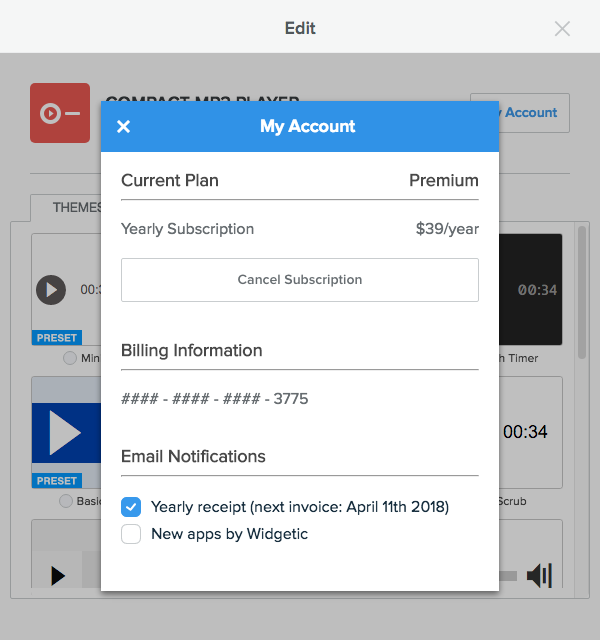
Step 5: To update your Card, click on the #### - #### - #### - XXXX number.
Step 6: There is no need to do it for multiple apps, if you are subscribed to more than one app. Once updated, the new card is used for all our apps on any websites you're hosting on Weebly.